MAJOR UPDATE: HashPower OS 1.2.94
HashPower OS 1.2.94 is now available through OTA, the website flasher and the full download. Both development miners completed the full Auto Tuning run successfully before this release. Here are the main changes since the previous public release.
HashPower Auto Tuning
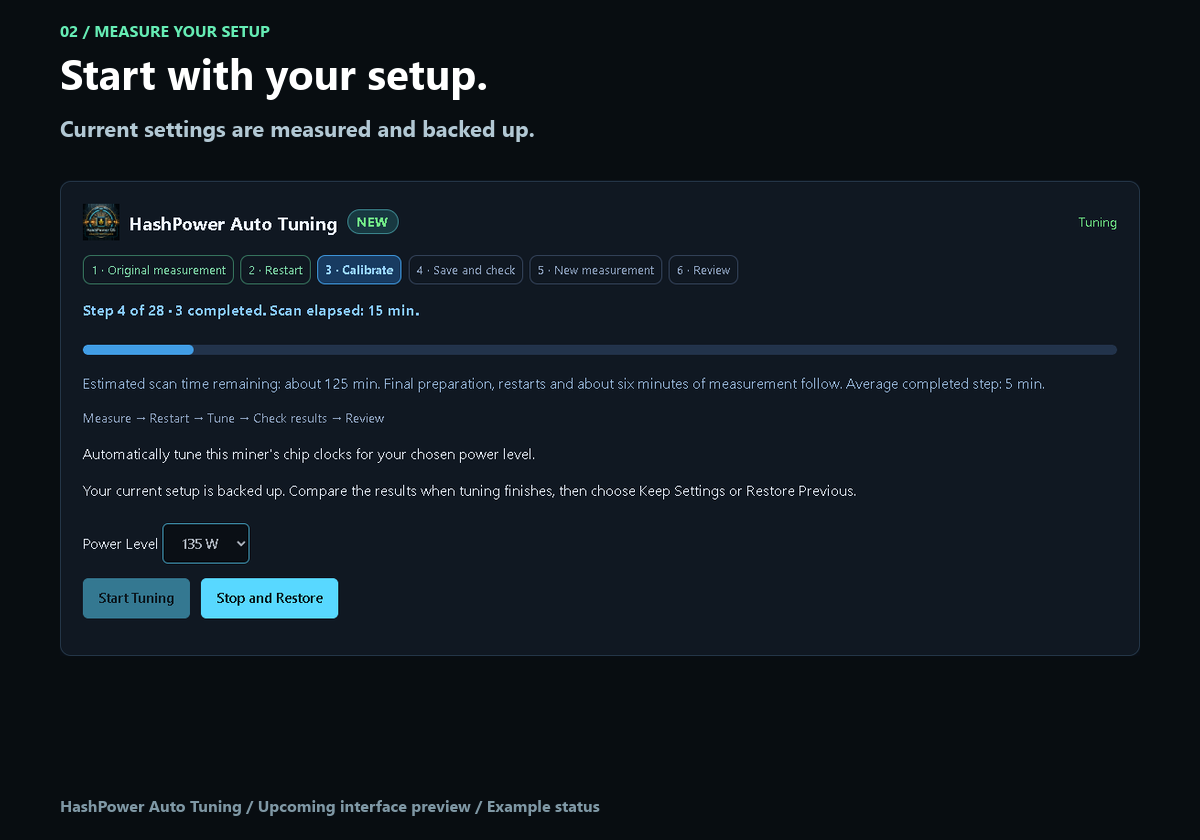
The power choices describe the requested operating budget. They do not promise a constant wall-power reading or the same result on every device. The scan needs time for measurements, and the miner may restart as part of preparation and verification. Keep power connected throughout the run.
- Choose a 130 W, 135 W, or 140 W tuning power target.
- Confirm automatic preparation of the settings needed for the run.
- Measure the current setup, test a range of clock profiles, and verify the selected result.
- Follow the current stage, measurement progress, and an estimate that updates as the run develops.
- See the same run and status from Performance and Settings.
- Compare the measured results and choose Keep or Restore when the process finishes.
- Retain manual clock controls for further adjustment after tuning.
- Allow about 2½ hours for a complete tuning run, depending on your miner and selected power level. The miner tests and verifies clock profiles rather than making one quick clock change.
Interface preview with example data. Actual tuning time and results vary by miner and selected power target.
Custom LCD artwork and animation
- Upload a custom image for the logo screen from Settings.
- Use GIF or animated PNG for a looping animation, or PNG/JPEG for a still image.
- Preview the visible round area before saving, with image-fit options.
- Use 240 × 240 artwork as the recommended size; files can be up to 2 MB.
- Play animations up to 30 seconds long before they loop.
- Restore the HashPower logo from the same controls when you want to change back.
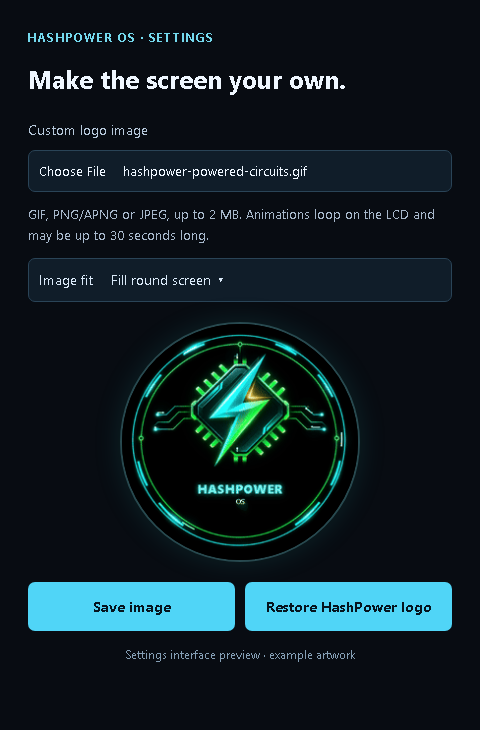
Interface preview with example data. Actual tuning time and results vary by miner and selected power target.
Miner, pool, and display readings
The display preferences control how you view the readings. Fast device control and protective responses continue in the background. A longer window needs more time to develop after startup, and pool share timing can make accepted-work estimates differ from local readings.
- Updated miner and pool hashrate presentation across the dashboard and round LCD.
- Green Miner Hashrate and blue Pool Hashrate styling, with a choice of which reading appears larger.
- Selectable five- or fifteen-minute reading windows and independent five- or ten-second visual refresh.
- A revised LCD layout and a preview in Settings that follows your display choices.
- Pool ping in milliseconds, plus a distinction between Pool Connected and Pool Live when accepted work is available.
A faster, cleaner WebUI
- Cleaner side navigation and consistent reading cards between pages.
- Quicker initial information display and more responsive page navigation.
- Improved background responsiveness while settings are being applied.
- Clearer status and progress messages, including real tuning readiness and connection recovery.
- Local-time settings-save confirmation and clearer clock-application verification.
Performance and reliability work
This build passed installation, restart, saved-state, and mining checks on our development devices. Both miners also completed the full Auto Tuning run before this release. We will continue improving reliability as the firmware develops.
- Revised performance presets and verified application of chip clocks.
- More dependable startup and background operation.
- Improved pool reconnection and recovery handling.
- Saved settings and calibration are preserved during the update.
- Login sessions can continue across tuning restarts, so you can return to the progress screen without signing in after each restart.
- Optional reported device names let you personalize how a miner appears to compatible monitoring tools. Review the compatibility warning before changing the default.
- Filter-maintenance controls include a reminder reset after servicing your filter.
- General stability improvements and clearer recovery information.
Release notes where you need them
The miner’s update card keeps the major changes short and readable. Settings → Release Notes shows the notes for the build you are running. This Updates section gives us room for the longer walkthroughs, development posts, and detailed notes that do not belong in a small popup.
Thank you for supporting the testing and continued development of HashPower OS.